 openmasu
solutions · retail
Your catalog, suppliers and store calendar in one shared base.
Browse products as cards, link each one to its supplier and plan launches on a calendar the whole team sees. SumUp sales sync in every 15 minutes, so what sold sits next to what you planned.
- Product catalog as a gallery of cards
- Products linked to suppliers and purchase orders
- SumUp sales and payouts synced every 15 minutes
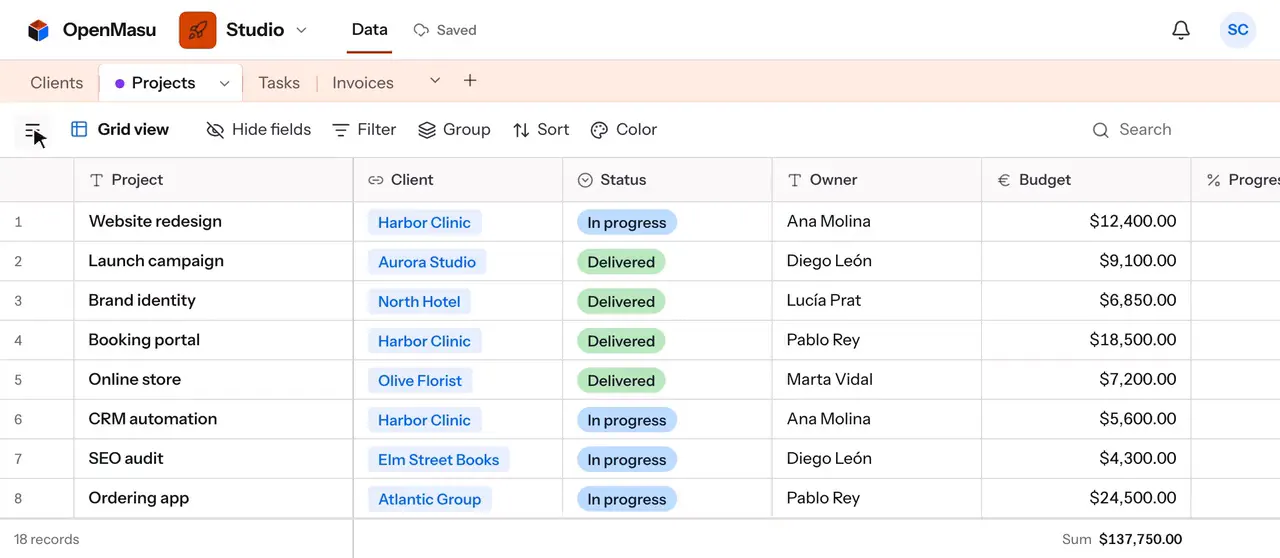
| Product | Category | Supplier | Price | Stock | Status |
|---|---|---|---|---|---|
| Linen tote, natural | Bags | Northfield Textiles | $38 | 24 | In stock |
| Stoneware mug, sage | Home | Clay & Kiln Co. | $22 | 6 | Low stock |
| Wool beanie, charcoal | Accessories | Northfield Textiles | $29 | 0 | Reorder |
| Beeswax candle set | Home | Hive Lane Supply | $34 | 41 | In stock |
| Canvas apron, rust | Kitchen | Northfield Textiles | $45 | — | Launching |
Everyday workflows
A product catalog you can browse
Each product is a record with category, price, stock and status. The gallery view shows them as large cards, so buyers and store staff scan the range at a glance. A second grid view with the filter «Stock is less than 10 and Status is not Discontinued» becomes the reorder list everyone works from.
Suppliers and purchase orders, linked
Suppliers get their own table with contact email, phone and lead time. Link each product and each purchase order to its supplier, and the supplier record lists everything you buy from them. Group Orders by Supplier and Status to see what is still in transit, and use the summary bar to total the cost of open orders.
Launches and store events on a calendar
Plan drops, window changes, sales and in-store events in a Launches table with start and end dates. The calendar view shows spans across days, and moving a launch is a drag. Link each launch to its products so the team knows what must be on the shelf, and @mention whoever owns the display.
In-store sales from SumUp, next to your plan
Connect SumUp from Marketplace › Integrations and your card-reader and online sales plus payouts sync into a base every 15 minutes, read-only. Add your own fields next to the synced ones, like a store or campaign tag, and group or filter sales by day. OpenMasu never writes back to SumUp.
Views & structure
Key views
- Gallery Browse the whole catalog as cards with price, category and stock.
- Calendar Plan launches, sales and window changes; drag to reschedule.
- Kanban Track purchase orders from draft to ordered to received.
- Grid Edit stock and prices fast and total what you see in the summary bar.
Recommended fields
- Price (Currency) Retail price with your currency symbol and decimals.
- Stock (Number) Units on hand, ready to filter for low-stock reorders.
- Supplier (Link to another record) Connects each product to who makes it, both ways.
- Category (Single select) Colored categories to group and filter the catalog.
- Margin (Formula) {Price} - {Unit cost} shows what each product earns per unit.
- Launch date (Date) Puts new products and events on the store calendar.
Your agent over MCP
Connect your own agent (Claude, ChatGPT, Codex or Cursor) over MCP. It can load a supplier's price list into your catalog, find what needs reordering and total synced SumUp sales by day or category. It acts with your token's permissions and its edits show up live.
create_records link_records query_records aggregate_records
Run your store from one base
Start with your catalog, then add suppliers, launches and SumUp sales.