The base where your team and your
 agents
work
agents
work
For agencies and teams who live in spreadsheets: connected tables, a view for every person, and your AI agents working on the same data, in real time.
- Every piece of data lives in one place, linked across tables
- Fast with thousands of rows: 50,000 in 17 ms
- Your team and your AI edit the same base at once
Using an AI agent? Connect it with a single prompt:
- Real relationsconnected data, not silos
- Local speedless waiting, more flow
- Connected AIyour tools, your data
- 17 field typeswith validation
- 8 viewson the same data
- Freeto get started with your team
product
One base for your team. And for your AI.
Six things OpenMasu already does today, recorded in the real app.
-
real time
Your team, in the same base.
Every change reaches everyone instantly, and each edited cell is tagged with the name of whoever touched it.
-
mcp server · 52 tools
Your AI works on your data.
Claude Code, Cursor or Codex read, create and update records. Whatever your agent changes is tagged with its name.
-
8 views
Every team, its own view.
Grid, kanban, calendar, gallery, timeline, list, Gantt and form, all on the same data.
-
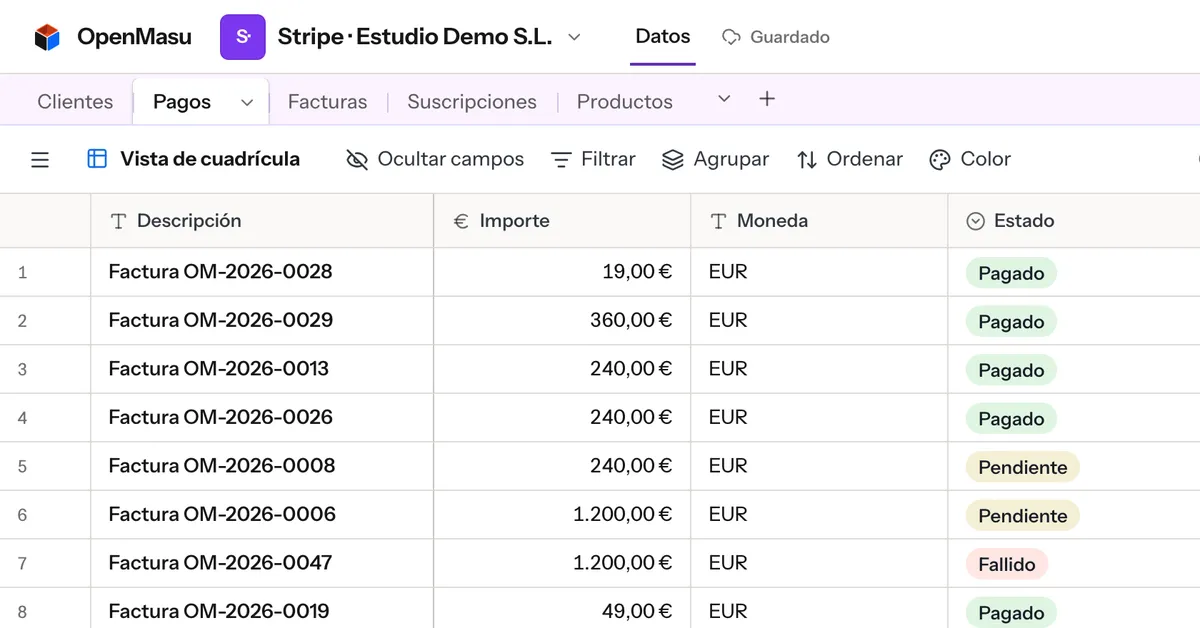
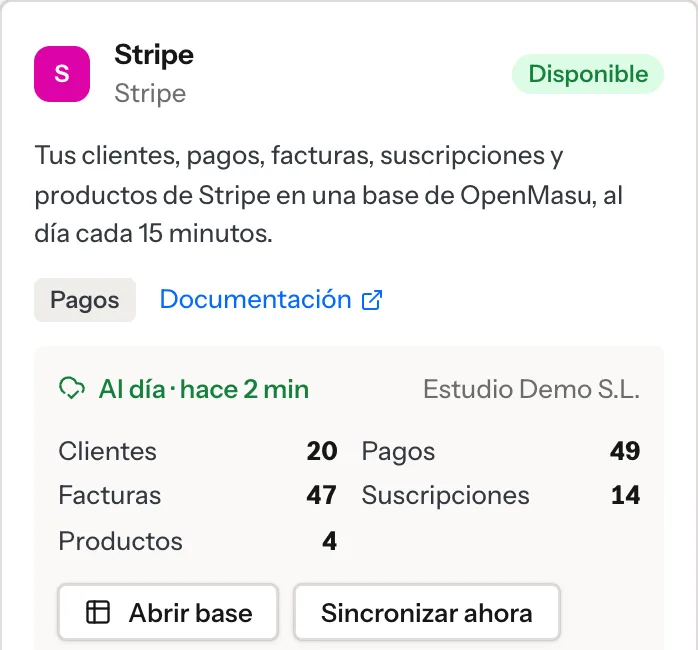
marketplace · stripe and sumup
Your payments, in a base.
Connect Stripe or SumUp: payments, invoices and sales land in your base and stay up to date every 15 minutes.
-
color and icon
Make it yours.
Give every base and every table its own color and icon, so you find your stuff at a glance.
-
rust engine · on your device
Fast with thousands of rows.
Filtering 50,000 records takes about 17 ms. Search, and the summary bar re-totals what you see.
Coming from Airtable?
We are finishing the importer: tables, fields, records, options with their colors, links and the column order of your grids, using your personal token, which we never store. Anything OpenMasu does not support yet (formulas, attachments…) comes across as text.
views
The same data. The view you need, when you need it.
Each view keeps its own filters, grouping and sorting without touching the underlying structure or asking the server for anything: the whole base runs in your browser.
Grid live
Edit like a spreadsheet, with thousands of rows.
Kanban live
Cards by status; drag them to change it.
Calendar live
Month or week, start to end; drag to another day.
Gallery live
Large cards for catalogs and teams.
Timeline live
Projects over time, from start to finish.
Gantt live
Tasks with dependencies.
List live
Records nested in levels.
Form live
A public link (
/shr…) so others can add records.
- “and” / “or” filters with groups
- multi-field sorting
- grouping up to 3 levels
- hide and reorder columns
- search across the whole view
live collaboration
Real collaboration: every change, instantly.
Every edit is an operation applied immediately on your screen. The server orders them transactionally, confirms them and syncs them to the whole team in milliseconds.
If you lose your connection, keep working: your changes queue up in your browser and sync when you are back, without getting lost or overwriting anyone else’s work.
- every change, confirmed and in order
- offline mode with a local queue
- undo (Cmd+Z) leaves others’ changes alone
performance
Speed shouldn’t depend on the network.
When you open a base, your data loads locally. Filtering, sorting, grouping and searching run on your own device, powered by a high-performance engine written in Rust.
- 17msto filter 50,000 records with 30 fields
- 21msto sort or group those 50,000
- ≈120fpswhile scrolling the table
Measured in October 2026 with the OpenMasu engine on a demo base of 50,000 records × 30 fields. These are local compute times; including rendering, the result is on screen in about 33 ms. Times vary with your hardware.
ai and integrations
Your AI doesn’t need another copy of your data.
Connect compatible assistants such as Claude Code, Codex or Cursor directly to OpenMasu through the open MCP (Model Context Protocol) standard.
Let your assistant query data, insert records or build views, working on the same structure your team already uses. Permissions are controlled with personal tokens and OAuth 2.1.
available now connect your tools with personal tokens and OAuth 2.1
- create_table
- create_field
- create_records
- upsert_records
- link_records
- query_records
- aggregate_records
- create_view
- update_view
- undo
privacy
Your data, in Europe.
Your bases are stored on our Hetzner servers in the European Union, with daily backups also in the EU. We don’t sell your data, we don’t use it for advertising and we don’t train models on it.
No tracking or advertising cookies, on this website or in the app: your session lives in your browser, and the server only keeps its fingerprint. The only cookie is the one that remembers your language, if you choose one.
- servers in the EU
- no tracking cookies
- your data is yours
| Your bases | Our own servers at Hetzner (Germany, EU) |
|---|---|
| Backups | Daily, 90 days, in the EU |
| Password | only its Argon2 hash |
| Session | only its HMAC fingerprint · 30 days |
| Website analytics | Self-hosted Plausible, no cookies |
why openmasu
A name with an idea behind it.
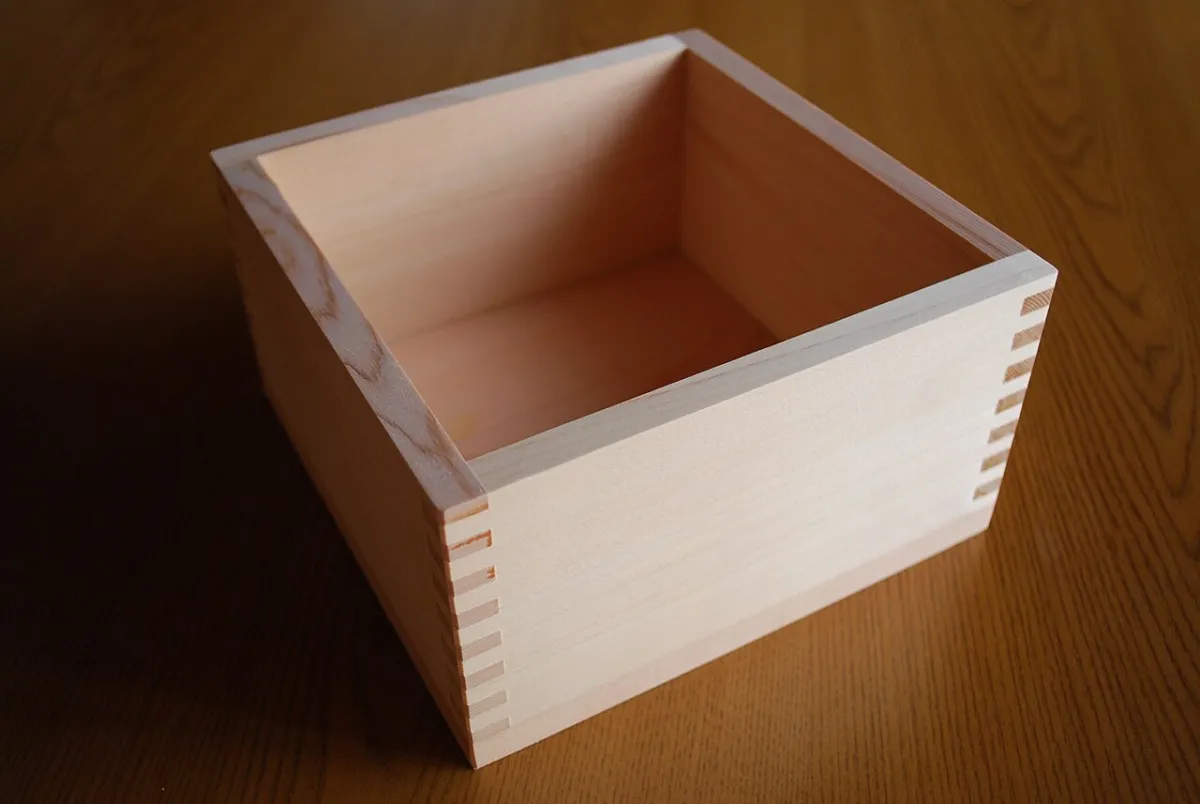
The 枡 (masu) is the traditional Japanese wooden box historically used in trade to measure precisely and give a fair measure.
Masu also sounds just like 増す, a Japanese verb meaning to increase, multiply or grow. Two ideas that define what we build: a solid foundation for your data, and more room for your team and your AI assistants to multiply what they can do.
OpenMasu: well-structured data to do more, with less friction.
pricing
Clear pricing. No fine print.
Start free with your team, then scale up with more records, backups and MCP integration.
Free
Pick it to try OpenMasu with up to 3 people and organize small projects.
- 1 workspace
- Up to 3 members
- 1,000 records per base
- Grid and every view
- Servers in Europe (Germany)
Starter
Pick it if you are an agency or a team of up to 10 people with your AI connected.
- 3 workspaces
- Up to 10 members per workspace
- 50,000 records per base
- MCP server for Claude and other assistants
- Backups and snapshots (1 year)
- Public forms with your own link
Business
Pick it if you need more people per workspace, bases of up to 250,000 records or priority support.
- Unlimited workspaces
- Up to 50 members per workspace
- 250,000 records per base
- High-capacity MCP server
- Backups and snapshots (2 years)
- Priority support and technical assistance
Self-hosted: on your own infrastructure coming soon
The OpenMasu engine and code will be released as free software on GitHub. You will be able to deploy your own instance with Docker and PostgreSQL on any server, with full control of your data, no telemetry and no paid limits.
faq
Frequently asked questions.
What exactly is OpenMasu?
A database shaped like a spreadsheet. You organize information in tables with typed fields (dates, options, amounts…), link records across tables and look at them in views with their own filters, sorting and grouping. The whole team works on the same base at the same time.
How is it different from a spreadsheet?
Every column has a type and validates what you enter, records link across tables in both directions, and everyone can have their own views without messing up anyone else’s. And when one person changes something, everyone sees it right away.
Is it fast with a lot of data?
Yes: the base loads into your browser in one go, and all computation (filtering, sorting, grouping up to 3 levels) runs locally on an engine compiled from Rust. In tests with 50,000 rows of 30 fields, computing a filter takes about 17 ms.
Are there kanban, calendar or forms?
Yes: you get 8 views (grid, kanban, monthly and weekly calendar, gallery, timeline, Gantt chart, list and public forms you can share with your link) in both the web version and the desktop app.
Can I bring my Airtable bases?
Very soon. The direct importer will bring over tables, fields, records, options with their colors, two-way links and the column order of your grids, using your personal read token (which we never store).
Where is my data stored?
On Hetzner servers in the European Union (Germany), with daily backups also in the EU. The details are in the privacy policy.
How much does it cost?
There is a Free plan with up to 1,000 records per base and no time limit. For teams that need more capacity, 1–2 years of backups and an MCP server for AI assistants, Starter starts at €15.92/month and Business at €39.92/month (billed yearly, 20% off).
How do I delete my account?
Email us from your account address at [email protected] and we will delete it with all its content. Soon you will be able to do it yourself from the app settings.
Structure your data. Connect your team and your AI.
Create your workspace in under a minute.